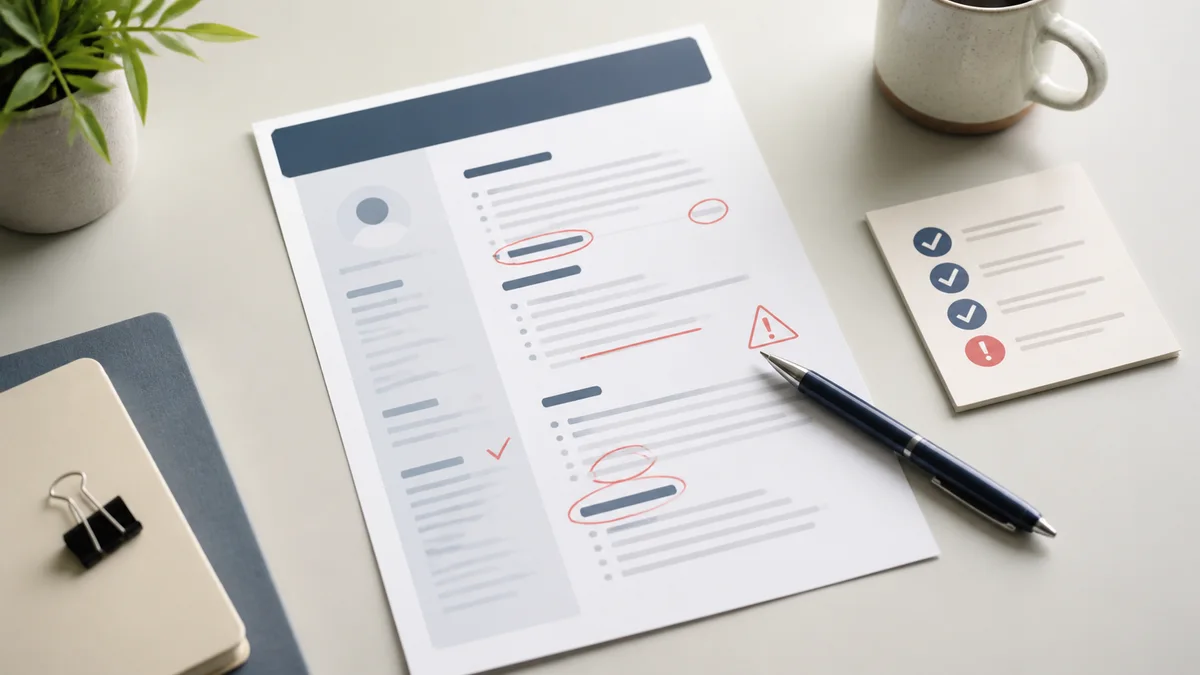
أكثر أخطاء السير الذاتية شيوعًا: 15 خطأ وكيف تصححها
جدول المحتويات
لماذا تستحق أخطاء السيرة الذاتية مراجعة جادة؟
قد يمتلك المرشح الخبرة المناسبة، ثم تضعف فرصته لأن سيرته العامة لا توضح ملاءمته للوظيفة، أو لأن إنجازاته مكتوبة كمهام، أو لأن الملف صعب القراءة على الإنسان ونظام تتبع المتقدمين (ATS). لذلك لا يكفي أن تكون المعلومات صحيحة؛ يجب أن تكون محددة، مرتبة، وسهلة التحقق.
هذا الدليل جزء من أدلة السيرة الذاتية في أسطر، ويركز هنا على الأخطاء التي يمكنك اكتشافها وتصحيحها قبل التقديم.
إذا أردت نتيجة سريعة قبل قراءة الدليل كاملًا، افحص سيرتك الذاتية مجانًا لتحصل على نقاط التحسين، أو أنشئ سيرة ذاتية PDF مجانًا داخل محرر أسطر ثم ارجع إلى قائمة التحقق في نهاية المقالة.
يعرض هذا الدليل أكثر أخطاء السير الذاتية شيوعًا في السوق السعودي والخليجي، لكنه لا يفترض أن قاعدة واحدة تناسب كل وظيفة. إعلان الوظيفة وتعليمات جهة التوظيف يظلان المرجع الأول.
---
1. إرسال السيرة الذاتية نفسها لكل وظيفة
الخطأ
إرسال نسخة عامة إلى وظائف مختلفة مع إبقاء الملخص والمهارات وترتيب الخبرات كما هي. بهذه الطريقة يصعب على مسؤول التوظيف رؤية العلاقة بين خبرتك ومتطلبات الوظيفة الحالية.
التصحيح
- استخرج من الإعلان المسمى الوظيفي والمهارات والأدوات والمسؤوليات الأساسية.
- قدّم الخبرات الأكثر صلة، حتى لو لم تكن الأحدث داخل النقطة نفسها.
- استخدم المصطلحات الصحيحة الواردة في الإعلان عندما تصف خبرة حقيقية لديك.
- لا تضف مهارة لا تملكها لمجرد أنها مذكورة في الإعلان.
يمكنك استخدام مقارنة السيرة الذاتية بالوظيفة لمعرفة الفجوات بين سيرتك والوصف الوظيفي قبل الإرسال.
---
2. عنوان وملخص مهني لا يوضحان تخصصك
الخطأ
البدء بعبارات عامة مثل: «أبحث عن فرصة أتطور فيها» أو «شخص طموح ومجتهد»، دون توضيح المجال أو الخبرة أو القيمة التي تقدمها.
التصحيح
اكتب عنوانًا مهنيًا واضحًا، ثم ملخصًا من سطرين إلى أربعة أسطر يجيب عن ثلاثة أسئلة:
- ما تخصصك ومستوى خبرتك؟
- ما أقوى مهارة أو إنجاز مرتبط بالوظيفة؟
- ما نوع القيمة التي تستطيع تقديمها؟
---
3. تنسيق مزخرف يصعب قراءته أو تحليله آليًا
الخطأ
الإفراط في مربعات النص والرسومات والأيقونات والجداول المتداخلة والخطوط الصغيرة. ليست كل أنظمة ATS تتعامل مع العناصر الزخرفية بالطريقة نفسها، كما أن ازدحام الصفحة يبطئ القراءة البشرية.
التصحيح
- استخدم عناوين أقسام مألوفة مثل الخبرة والتعليم والمهارات.
- حافظ على تسلسل واضح ومسافات بيضاء مريحة.
- استخدم خطًا مقروءًا وحجمًا ثابتًا.
- لا تضع معلومة أساسية داخل صورة أو عنصر زخرفي فقط.
- اختبر النص بعد تصدير PDF للتأكد من إمكانية تحديده ونسخه بترتيب منطقي.
يمكنك البدء من قوالب سيرة ذاتية حسب المهنة ثم تطبيق المحتوى على تصميم واضح ومتوافق مع ATS.
---
4. الأخطاء الإملائية وعدم اتساق اللغة
الخطأ
وجود خطأ في المسمى الوظيفي أو اسم الشركة أو البريد الإلكتروني، أو التنقل بين العربية والإنجليزية دون نمط ثابت. الخطأ هنا لا يتعلق بالشكل فقط؛ فقد يغير معنى مهارة أو يمنع التواصل معك.
التصحيح
- راجع السيرة على الشاشة ثم راجع نسخة PDF النهائية.
- اقرأ النص بصوت مسموع لاكتشاف الجمل المربكة.
- وحّد كتابة التواريخ والمسميات والاختصارات.
- اطلب من شخص آخر مراجعة الأسماء وبيانات التواصل تحديدًا.
---
5. كتابة المهام بدل الإنجازات
الخطأ
كتابة ما كان مطلوبًا منك فقط: «مسؤول عن المبيعات» أو «إدارة حسابات العملاء». هذه العبارات لا توضح جودة أدائك أو أثره.
التصحيح
ابدأ بفعل واضح، ثم اذكر نطاق العمل والنتيجة عندما تتوفر لديك بيانات حقيقية.
| صياغة ضعيفة | صياغة أقوى |
|---|---|
| مسؤول عن المبيعات | رفعت مبيعات المنطقة 18% خلال تسعة أشهر عبر إعادة توزيع الحسابات |
| إدارة فريق خدمة العملاء | قدت فريقًا من 12 موظفًا وخفّضت زمن الاستجابة من 9 ساعات إلى 3 ساعات |
| إعداد التقارير | أتمتّ 6 تقارير شهرية ووفرت نحو 20 ساعة عمل شهريًا |
لا تخترع رقمًا. إذا لم يتوفر مقياس مالي، استخدم نطاق العمل أو السرعة أو الجودة أو عدد العملاء أو حجم الفريق.
---
6. ادعاءات عامة بلا دليل
الخطأ
تكرار صفات مثل «قيادي»، «مبدع»، و«أعمل تحت الضغط» دون مثال يثبتها.
التصحيح
حوّل الصفة إلى موقف أو نتيجة:
- بدل «قيادي»: «نسّقت عمل فريق متعدد التخصصات من 8 أعضاء لإطلاق المنتج قبل الموعد بأسبوعين».
- بدل «حل المشكلات»: «حددت سبب تكرار أخطاء الفواتير وخفّضتها 35% بعد تعديل آلية المراجعة».
---
7. معلومات اتصال ناقصة أو غير مهنية
الخطأ
رقم هاتف قديم، بريد إلكتروني مكتوب خطأ، رابط LinkedIn لا يعمل، أو عنوان تفصيلي لا تحتاجه جهة التوظيف.
التصحيح
اكتفِ عادةً بـ:
- الاسم الكامل.
- رقم هاتف صحيح مع مفتاح الدولة عند التقديم خارج بلدك.
- بريد إلكتروني مهني.
- الدولة والمدينة بحسب متطلبات الوظيفة.
- LinkedIn أو معرض الأعمال إذا كانا محدثين ومرتبطين بالمجال.
اختبر كل رابط من ملف PDF النهائي، وليس من ملف التحرير فقط.
---
8. تجاهل كلمات الإعلان أو حشوها
الخطأ
هناك خطآن متعاكسان: عدم استخدام المصطلحات المهنية الموجودة في الإعلان، أو تكرارها بصورة مصطنعة لا تعكس خبرتك.
التصحيح
- استخدم الكلمات التي تصف مهاراتك الحقيقية داخل الملخص والخبرات والمهارات.
- اكتب الاسم الكامل للاختصار عند أول ظهور إذا كان ذلك مفيدًا، مثل «تخطيط موارد المؤسسة (ERP)».
- اربط كل كلمة مهمة بسياق أو إنجاز بدل وضع قائمة طويلة بلا دليل.
---
9. طول لا يخدم مستوى الخبرة
الخطأ
حشر كل تجربة قديمة في عدة صفحات، أو اختصار خبرة طويلة إلى صفحة فارغة لا توضح الأثر. المشكلة ليست رقم الصفحات وحده؛ بل مقدار المعلومات المفيدة في كل صفحة.
التصحيح
- للخريج أو صاحب الخبرة المحدودة: غالبًا تكفي صفحة واحدة قوية.
- لصاحب الخبرة المتوسطة: قد تكون صفحتان أنسب إذا كانت المعلومات مرتبطة بالهدف.
- للأدوار الأكاديمية أو التنفيذية: اتبع أعراف المجال وتعليمات الجهة.
- ضع المعلومات الأقوى في الصفحة الأولى واحذف التكرار والخبرات غير المرتبطة.
---
10. تواريخ ومسميات غير متسقة
الخطأ
استخدام الأشهر في وظيفة والسنوات فقط في أخرى، أو اختلاف المسمى بين السيرة وLinkedIn، أو تداخل تواريخ لا يفسره القارئ.
التصحيح
- اختر تنسيقًا واحدًا للتواريخ وطبقه على جميع الأقسام.
- وضّح العمل الجزئي أو الحر أو المتزامن عندما يمنع ذلك الالتباس.
- لا تغيّر المسمى الرسمي بطريقة مضللة؛ يمكنك إضافة وصف وظيفي مألوف بين قوسين إذا كان المسمى الداخلي غامضًا.
- لا تخفِ الفجوات بمعلومات غير صحيحة؛ اشرحها بإيجاز عندما تكون ذات صلة.
---
11. قسم مهارات عام وغير مرتب
الخطأ
مزج البرامج واللغات والصفات الشخصية في قائمة واحدة، أو منح نفسك تقييمات مثل «Excel: 90%» دون معيار مفهوم.
التصحيح
- اجمع المهارات في فئات واضحة: تقنية، أدوات، لغات، وتخصصية.
- قدّم المهارات المطلوبة للوظيفة التي تستطيع إثباتها.
- اذكر المستوى فقط عندما يكون له معيار معروف، مثل CEFR للغات أو شهادة مهنية معتمدة.
- أثبت المهارات السلوكية داخل نقاط الخبرة بدل سردها وحدها.
---
12. معلومات شخصية لا تحتاجها جهة التوظيف
الخطأ
إضافة رقم الهوية أو العنوان الكامل أو الحالة الاجتماعية أو معلومات حساسة لم يطلبها الإعلان.
التصحيح
احذف أي معلومة لا تساعد على تقييم ملاءمتك المهنية. في السعودية والخليج قد تختلف متطلبات الجنسية أو الصورة حسب الجهة والدور؛ اتبع الإعلان، ولا تضف معلومات حساسة تلقائيًا.
عند التقديم لشركة دولية، تكون الصورة والعمر والجنس غالبًا غير ضرورية ما لم توجد تعليمات واضحة بخلاف ذلك.
---
13. شهادات ودورات بلا سياق
الخطأ
سرد دورات كثيرة قصيرة لا علاقة لها بالوظيفة، أو كتابة اختصار شهادة دون الجهة المانحة أو تاريخها.
التصحيح
- اذكر الشهادات الأكثر صلة أولًا.
- أضف الجهة المانحة وسنة الحصول عليها وتاريخ الانتهاء إذا كان مهمًا.
- احذف الدورات التمهيدية القديمة عندما لا تضيف قيمة.
- اربط الشهادة بتطبيق عملي داخل الخبرة إن أمكن.
---
14. إرسال صيغة ملف أو اسم ملف غير مناسب
الخطأ
إرسال صورة للسيرة، أو ملف لا يفتح جيدًا، أو اسم مثل «CV-final-final2.pdf».
التصحيح
- اتبع الصيغة المطلوبة في الإعلان أولًا.
- استخدم PDF عندما لا تُطلب صيغة أخرى وبعد التأكد من ثبات التنسيق.
- إذا طلب النظام Word أو نصًا قابلًا للنسخ، التزم بذلك.
- سمّ الملف بوضوح، مثل: «Moath-Alothman-CV.pdf».
منصة جدارات، على سبيل المثال، توضح ضمن إرشاداتها إمكانية إرفاق السيرة بصيغة PDF وفق متطلبات الحجم المحددة في المنصة.
---
15. عدم إجراء فحص نهائي قبل الإرسال
الخطأ
الاعتماد على نسخة التحرير دون فتح الملف النهائي، أو نسيان تحديث اسم الشركة في نسخة مخصصة، أو إرسال رابط محفظة أعمال لا يعمل.
التصحيح
نفّذ مراجعة أخيرة من أربع زوايا:
- المحتوى: هل توضح السيرة ملاءمتك لهذه الوظيفة؟
- الدقة: هل الأسماء والتواريخ والأرقام صحيحة؟
- القراءة: هل يمكن تصفحها بسرعة وفهم ترتيبها؟
- التقنية: هل يفتح الملف وتعمل الروابط ويمكن نسخ النص منه؟
---
قائمة تحقق لتصحيح السيرة الذاتية
| ما الذي تراجعه؟ | تم |
|---|---|
| خصصت العنوان والملخص والخبرات للوظيفة | ☐ |
| استخدمت تنسيقًا واضحًا وعناوين أقسام مألوفة | ☐ |
| حوّلت المهام المهمة إلى إنجازات قابلة للإثبات | ☐ |
| راجعت الإملاء وبيانات الاتصال والتواريخ | ☐ |
| استخدمت كلمات الإعلان طبيعيًا دون حشو | ☐ |
| حذفت المعلومات الحساسة وغير المرتبطة | ☐ |
| رتبت المهارات والشهادات حسب الصلة | ☐ |
| التزمت بصيغة الملف المطلوبة | ☐ |
| فتحت النسخة النهائية واختبرت الروابط والنص | ☐ |
بعد إنهاء القائمة، استخدم اختبار السيرة الذاتية من أسطر لمراجعة نقاط الضعف، ثم عدّل النسخة داخل منشئ السيرة الذاتية.
---
أسئلة شائعة عن أخطاء السيرة الذاتية
ما أكثر خطأ شائع في السيرة الذاتية؟
إرسال سيرة عامة لا تعكس متطلبات الوظيفة من أكثر الأخطاء تأثيرًا. خصص الملخص وترتيب الخبرات والمهارات لكل إعلان دون إضافة معلومات غير صحيحة.
كيف أعرف أن سيرتي الذاتية متوافقة مع ATS؟
استخدم عناوين أقسام واضحة ونصًا قابلًا للتحديد وتنسيقًا غير مزدحم، ثم اختبر الملف عبر مُقيّم السيرة الذاتية. لا توجد نتيجة واحدة تضمن القبول لأن أنظمة الشركات وإعداداتها تختلف.
هل يجب أن تكون السيرة الذاتية صفحة واحدة؟
ليست قاعدة مطلقة. صفحة واحدة تناسب غالبًا الخريجين وأصحاب الخبرة المحدودة، بينما قد تحتاج الخبرة المتوسطة إلى صفحتين. الأهم أن تكون كل معلومة مرتبطة بالوظيفة وسهلة القراءة.
هل أرسل السيرة الذاتية PDF أم Word؟
اتبع تعليمات جهة التوظيف أولًا. استخدم PDF عندما لا تُطلب صيغة أخرى وبعد فحص التنسيق، واستخدم Word إذا طلبه النظام صراحةً.
هل أضع صورة شخصية في السيرة الذاتية؟
يعتمد ذلك على السوق والجهة وطبيعة الدور. في الطلبات الدولية غالبًا لا تكون الصورة ضرورية، وفي السعودية قد تكون اختيارية. لا تضفها إذا لم تكن مفيدة أو مطلوبة.
---
مصادر موثوقة اعتمد عليها الدليل
- خدمة إنشاء السيرة الذاتية — صندوق تنمية الموارد البشرية (هدف)
- إرشادات كتابة سيرة مؤثرة — مركز Harvard للتطوير المهني
- إرشادات التنسيق والإنجازات وATS — Career Services بجامعة Pennsylvania
الخلاصة
أكثر أخطاء السير الذاتية شيوعًا لا تحتاج إعادة كتابة حياتك المهنية من الصفر؛ غالبًا تحتاج تخصيصًا أفضل، وإنجازات أوضح، وتنظيمًا أدق، وفحصًا نهائيًا واعيًا. ابدأ بإصلاح الأخطاء التي تؤثر في ملاءمة الوظيفة، ثم حسّن التفاصيل البصرية واللغوية.
للبدء الآن: افحص سيرتك الذاتية مجانًا، أو أنشئ سيرة ذاتية احترافية، أو طابقها مع الوظيفة المستهدفة.
قوالب سيرة ذاتية ذات صلة
سيرة ذاتية حديث تخرج
أنشئ سيرة ذاتية احترافية للخريجين الجدد بدون خبرة. حمّل نموذج CV جاهز للتعديل مصمم خصيصاً لحديثي التخرج يُبرز مشروع التخرج والتدريب التعاوني والمهارات.
سيرة ذاتية مبرمج
أنشئ سيرة ذاتية للمبرمجين ومطوري البرمجيات. نموذج CV تقني جاهز يُبرز لغات البرمجة ومشاريع GitHub وخبرات Backend وFrontend مع توافق ATS.