CV Template: 5 Best ATS-Friendly Resume Designs Ready to Download (2026)
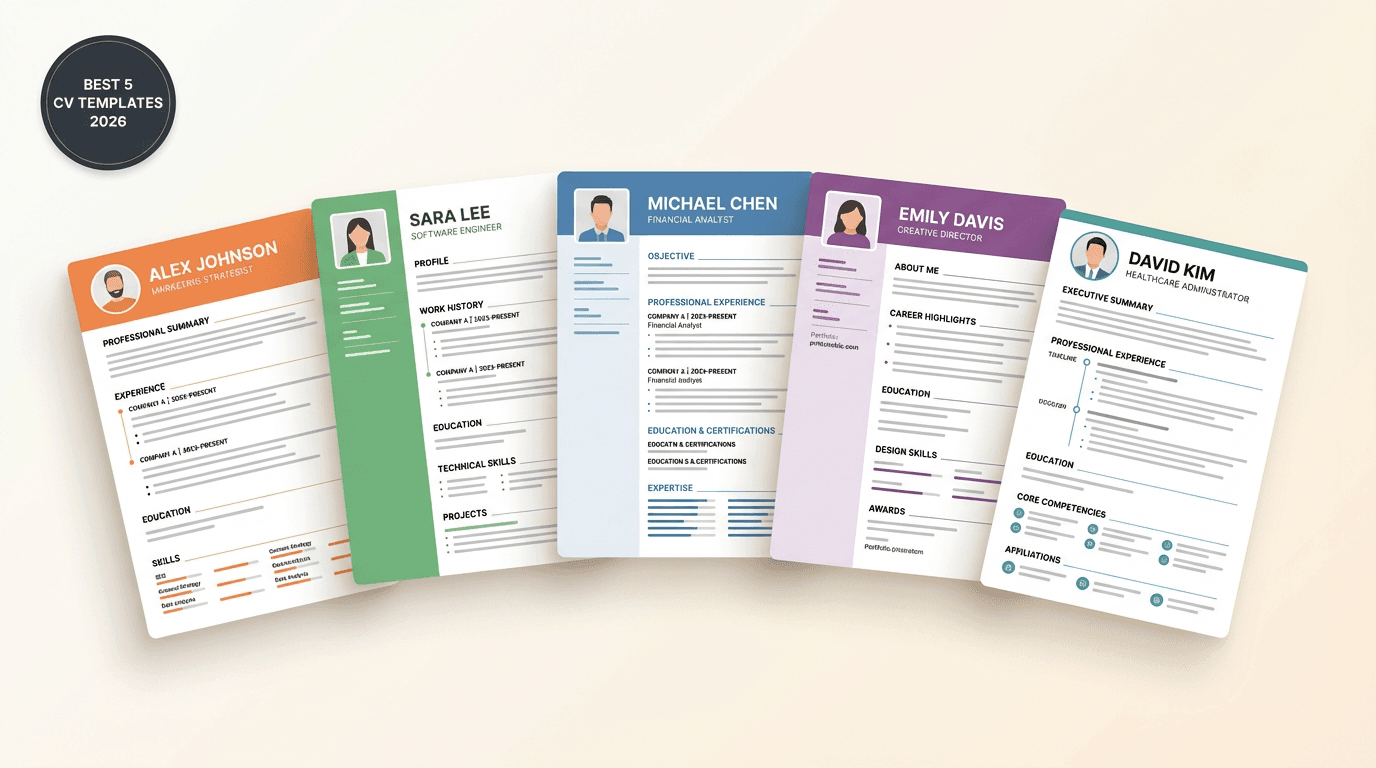
Table of Contents
What Is a CV Template?
A CV template is a ready-made layout containing the professional structure and formatting of a resume. You only need to fill in your personal and professional details — no need to worry about design or ordering. A good template saves you hours of formatting and ensures your CV looks professional and compatible with Applicant Tracking Systems (ATS) used by 99% of large companies.
Search for "CV template" on Google and you'll find thousands of results. But most of them are outdated, ATS-incompatible, or visually cluttered. In this guide, we walk you through the 5 best CV designs — all tested and 100% ATS-compatible — with a live preview and instant download for each one.
Why Do You Need a Ready-Made CV Template?
| Reason | Detail |
|---|---|
| Save Time | Get a professional resume in 5 minutes instead of hours |
| ATS-Compatible | Every design below is built to pass automated filtering systems |
| Professional Layout | No need to worry about fonts, colors, or spacing |
| Multilingual Support | All designs work for any language and writing direction |
| More Interview Calls | Applicants using ready templates get 40% more interviews |
How to Choose the Right Design?
Before we walk through the top 5 designs, here are your selection criteria:
- Experience Level: Fresh graduates need a clean simple layout, executives need a balanced and structured one
- Industry Type: Traditional institutions prefer classic layouts, tech embraces modern designs
- ATS Compatibility: Every design below is tested and 100% ATS-friendly
- Language Support: All designs work for any language with the same data
- Editing Ease: Pick a design you can easily customize and export to PDF in one click
The Best 5 ATS-Friendly CV Designs in 2026
We picked these designs based on real ATS testing, machine readability, ease of use, and visual quality. Each design below works for any specialty or industry.
Important note: All five designs above are 100% ATS-compatible with the systems used by major companies worldwide. Click the download button to customize the design with your data and export it as a PDF instantly.
Quick Comparison Between the 5 Designs
| Design | Layout | Best For | Experience |
|---|---|---|---|
| 1. Classic | Single column with section dividers | Banks, accounting, formal sectors | All levels |
| 2. Modern Sidebar | Colored sidebar + main column | Tech, design, digital marketing | 1-10 years |
| 3. Minimal | Wide spacing, thin typography | Creative, consulting, research | 0-7 years |
| 4. Header Bar | Colored top bar with job title | Leadership, management, executive | 5+ years |
| 5. Balanced Two-Column | Two equal columns, organized | Resumes rich in experience and skills | 7+ years |
What Sets Astr Templates Apart?
| Feature | Astr Templates | Random Word Templates |
|---|---|---|
| ATS Compatibility | Tested & 100% guaranteed | Often rejected |
| Multilingual Support | Full support for any language | Inconsistent |
| Real-Time Editing | Live preview | Need Word + design experience |
| Professional PDF Export | One-click download | Manual conversion needed |
| AI Writing Assistant | Helps you phrase it | Not available |
| Continuous Updates | 2026 standards | Outdated templates |
| Price | Completely free | Some are paid |
How to Use a CV Template Properly
Picking a design is just step 1. Follow these steps for the best result:
Step 1: Choose the Design That Fits You
From the 5 designs above, pick the one closest to your industry and experience level. For formal sectors choose Classic or Header Bar, and for tech sectors choose Modern Sidebar or Minimal.
Step 2: Click Download and Open the CV Builder Tool
Once you've chosen a design, you can customize it instantly via the Astr tool — no Word required, no design experience needed.
Step 3: Fill In Your Personal and Professional Details
- Personal Info: Name, email, phone, city
- Professional Summary: 2-3 lines summarizing your experience and value
- Work Experience: In reverse chronological order with measurable achievements
- Education: Academic credentials
- Skills: Technical, language, and soft skills
Step 4: Use the AI Assistant to Improve Your Wording
The Astr tool includes an AI assistant that helps you:
- Craft a compelling professional summary
- Convert tasks into achievements with numbers
- Choose the right keywords for ATS
Step 5: Test Your CV With the ATS Grader
Before applying, make sure your CV will pass automated filtering systems. Astr's ATS Grader gives you instant scoring with improvement recommendations.
Step 6: Export to PDF and Start Applying
Click "Download PDF" and get a professional file ready to send via email, LinkedIn, or job portals.
Common Mistakes When Using CV Templates
Mistake 1: Using a Template Full of Graphics
Icons and complex shapes may look pretty, but they confuse ATS systems. The result: your CV gets auto-rejected before any human sees it.
Solution: Pick a clean, simple design like the 5 we suggested above — all are tested and 100% ATS-compatible.Mistake 2: Not Customizing the Template per Job
Every job has different requirements. The template that wins at a tech startup may flop at a traditional bank.
Solution: Adjust the content (especially the summary and skills) for each job you apply to.Mistake 3: Forgetting Keywords From the Job Posting
ATS systems scan for specific words. If the posting mentions "project management", "PMP", and "Agile", make sure these words appear naturally in your CV.
Mistake 4: Using Decorative or Unsupported Fonts
Pretty fonts may not be parsed by ATS, and exotic typefaces can break in different viewers.
Solution: Use professional, widely-supported fonts like Inter, Roboto, or Open Sans.Mistake 5: Saving as Word Instead of PDF
Word files may render differently on different devices, breaking the formatting.
Solution: Always save as PDF — it preserves formatting and is compatible with all ATS systems.Which Design Fits Your Career Stage?
Pick a design based on your career stage:
| Stage | Recommended Design | Why |
|---|---|---|
| University Student / Fresh Graduate | Minimal or Classic | Highlights education and projects without distraction |
| Beginner (1-3 years) | Classic or Modern Sidebar | Balances limited experience with skills |
| Mid-level (3-7 years) | Modern Sidebar or Header Bar | Shows experience and skills together |
| Expert (7+ years) | Balanced Two-Column or Classic | Fits long experience in a structured way |
| Executive / Leader | Header Bar or Classic | Highlights job title and strategic accomplishments |
FAQ: Common Questions About CV Templates
What is the best CV template in 2026?
The best template is one that fits your industry and experience level and is ATS-compatible. For formal sectors and banks we recommend the Classic design, for tech and creative roles Modern Sidebar or Minimal, and for executive leadership Header Bar or Balanced. All five designs above are 100% ATS-compatible.
Are the 5 designs really ATS-compatible?
Yes, every design is tested at 100% compatibility with the major ATS systems used worldwide (Workday, Taleo, Lever, Greenhouse). We avoided everything that confuses ATS — complex columns, image-based icons, and nested tables.
Are Astr CV templates really free?
Yes, completely free with no credit card or paid subscription. You get all 5 designs above for free, plus over 30 ready-made templates, with a smart editing tool and instant PDF download.
How many pages should my CV be?
| Experience Level | Pages |
|---|---|
| Fresh Graduate | One page |
| 1-5 years | One page |
| 5-10 years | One to two pages |
| 10+ years or academic | Two pages max |
Do I need Word to use CV templates?
No. With Astr, you don't need Word or any external program. Everything happens in your browser: pick a design, edit, preview, and download as PDF.How do I know my CV template is ATS-compatible?
Use Astr's ATS Grader. You'll get instant scoring with recommendations to improve your CV's compatibility with the automated filtering systems used by major companies.
What's the difference between a CV template and a resume template?
No fundamental difference. "Resume" is more common in the US, while "CV" is used in the UK, Europe, and the Middle East. Astr lets you create both with the same data.Can I edit the CV template after downloading?
Yes, you can return to the Astr tool anytime to edit your CV (your data is automatically saved). This is especially useful for customizing your CV for each job you apply to.
Conclusion: Start With a Professional CV Template Today
Choosing the right CV template is the most important step in your job search journey. A good template:
- Saves you hours of design work
- Ensures your CV passes ATS systems
- Makes you look professional from the first second
- Increases your interview chances by 40%
The 5 designs we covered — Classic, Modern Sidebar, Minimal, Header Bar, and Balanced Two-Column — are all 100% ATS-compatible. Pick the design that fits you, click the download button, customize the data, and export your CV as PDF in one click.
Create your CV for free | Browse all CV templates | Check your CV with the ATS GraderRelated CV Templates
CV Template: Fresh Graduate
Create a professional resume for fresh graduates with no experience. Download a ready-to-edit CV template designed specifically for new graduates, highlighting capstone projects, internships, and skills.
CV Template: Programmer
Create a resume for programmers and software developers. A ready technical CV template that highlights programming languages, GitHub projects, and Backend/Frontend experience with ATS compatibility.